Five apps with the same icon, rebuilt as one
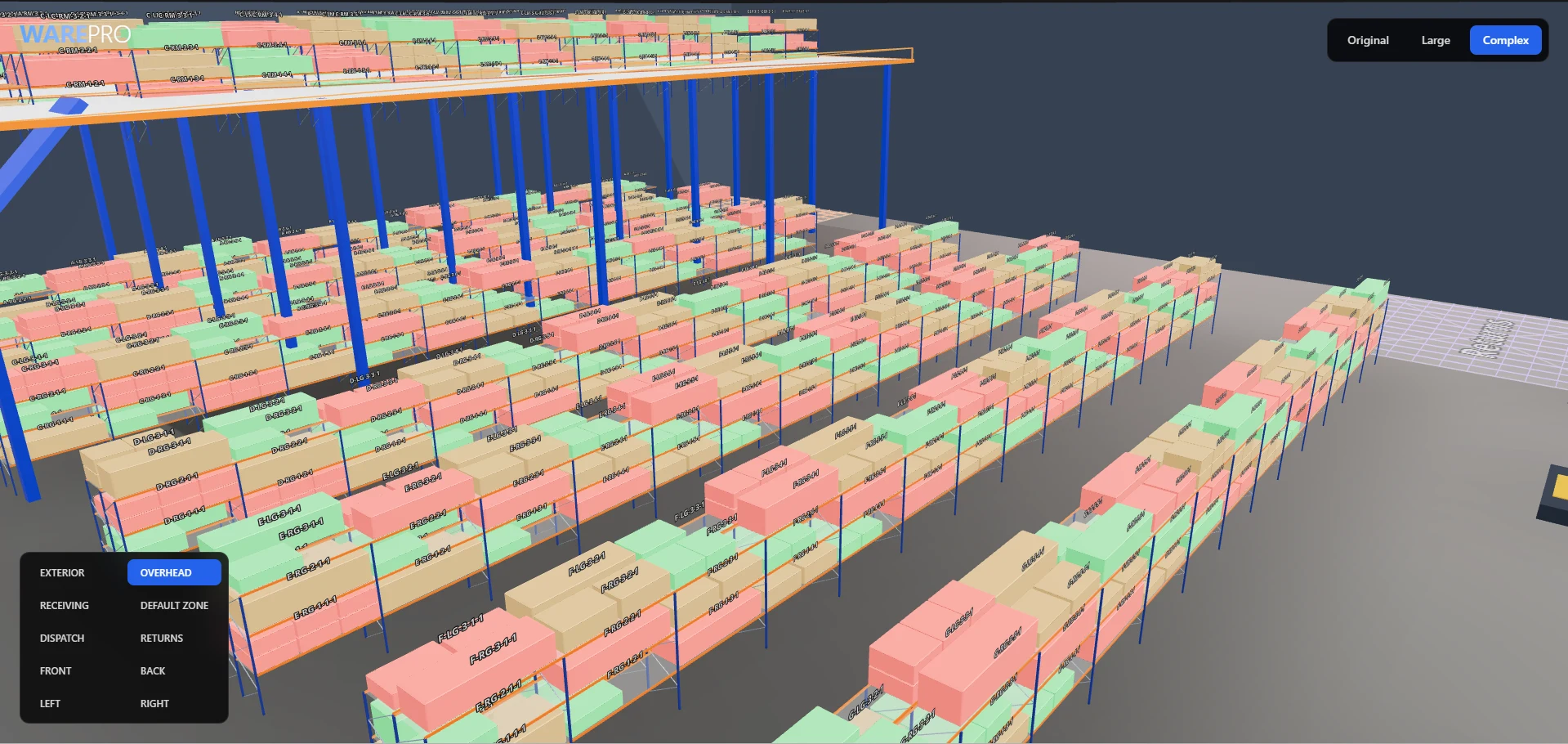
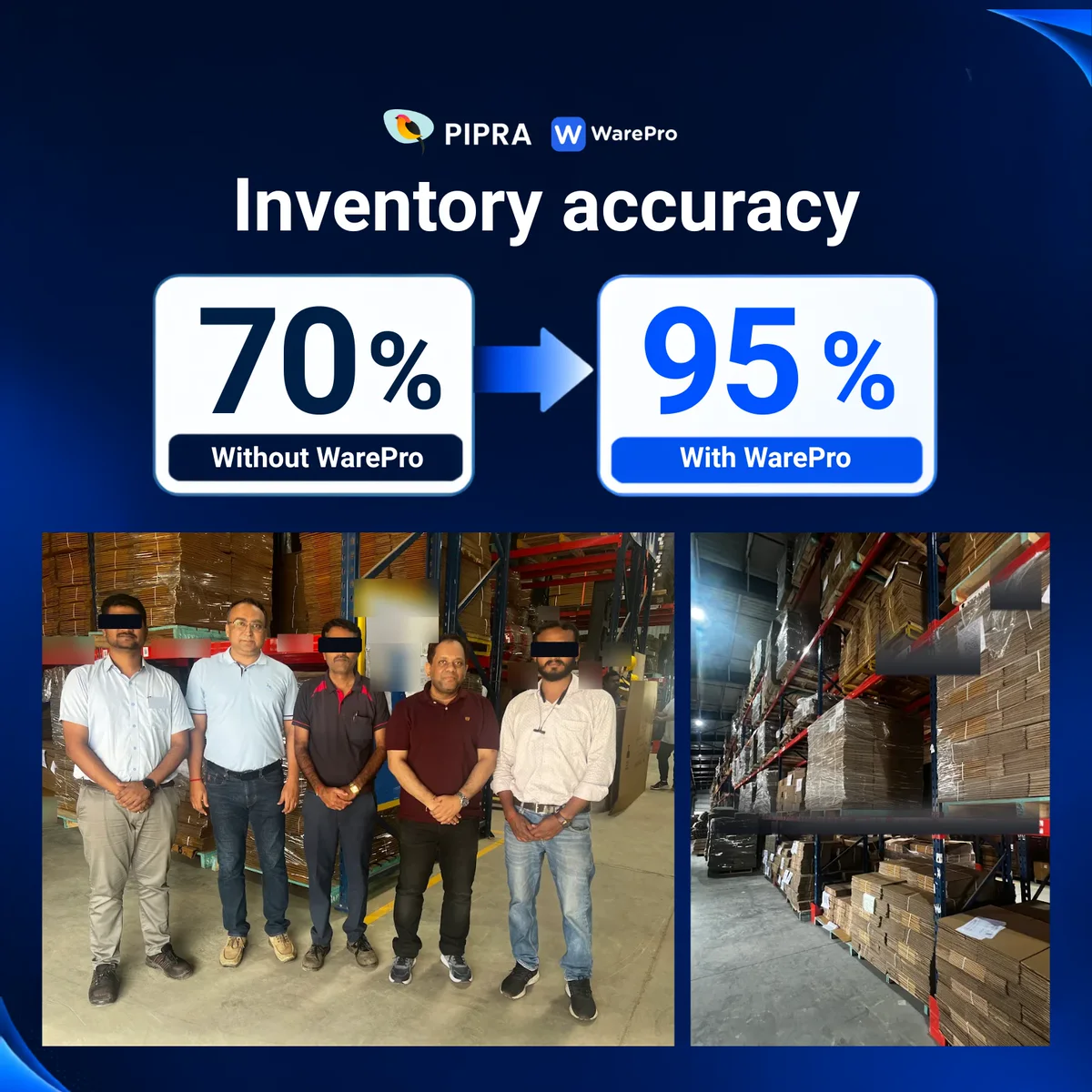
WarePro's handheld app was a launcher full of near-identical apps. I rebuilt the operator side as one system; at a customer site now running it on PiGo, inventory accuracy rose from 70% to 95%.
RelatedPiGo: the app this design grew into
- Role
- Product designer — research, flows, component library, UI across all modules
- Timeline
- 2026
- Team
- With PIPRA's WarePro product and engineering teams
- Platform
- Android handhelds · warehouse scanners
- Status
- Delivered; now running in PiGo at customer sites
The problem
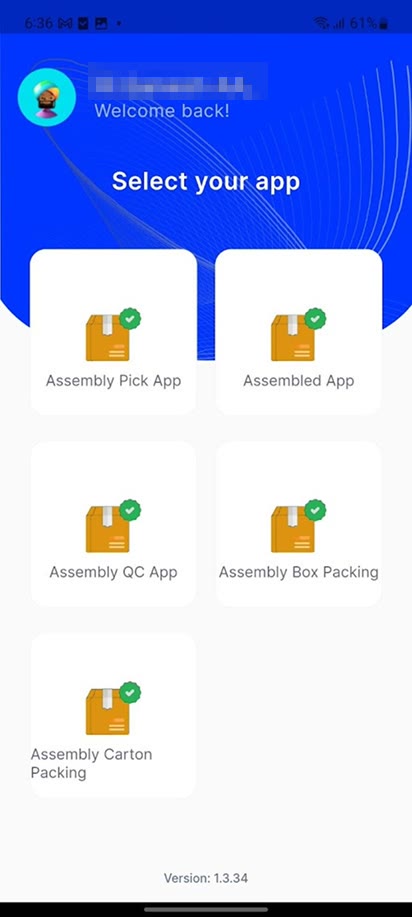
The app opened on a “Select your app” launcher where five assembly apps shared one identical icon. Inside, screens showed raw unlabelled IDs to operators working one-handed with a scanner, where a mis-read becomes a real inventory error.
The outcome
Nine flows rebuilt as one system on the Atlassian Design System — task-first instructions, a single status grammar, and guards that stop invalid work before it's submitted. At a customer site running WarePro on PiGo, the app this redesign grew into, inventory accuracy rose from 70% to 95% (reported by PIPRA).
If you read nothing else
The original wasn't one app — it was a launcher of separate apps, several of which were visually indistinguishable from each other.
The unit of design here is a task, not a screen: every flow states the next physical action before it shows any data.
A mis-scan isn't a UI bug, it's stock that exists in the system but not on the shelf — so consistency is a safety feature, not a style preference.
Open the old WarePro app and the first thing you get isn't work — it's a menu. “Select your app.” Five tiles for assembly alone: Pick, Assembled, QC, Box Packing, Carton Packing. Every one of them the same orange box with the same green tick.
What was actually wrong
It had grown into a folder of apps, not a product
Each warehouse job had been shipped as its own mini-app, and the launcher was how they were held together. Different roles saw different grids, so there wasn't even one consistent home screen to learn — and because every tile reused the same generic icon, choosing the right one meant reading every label, every time.
Inside, the screens had the same problem in miniature. A manufacturing list showed “80078 · 1000134 · 1000001” with nothing labelling which number was the order, the part, or the location. Titles truncated mid-word. Detail screens were bare label-and-value tables with no hierarchy, so the ordered quantity looked exactly as important as the internal location code. Filters lived in a tab bar pinned to the bottom of the screen, far from the list they controlled.
The reframe
Design the task, not the screen
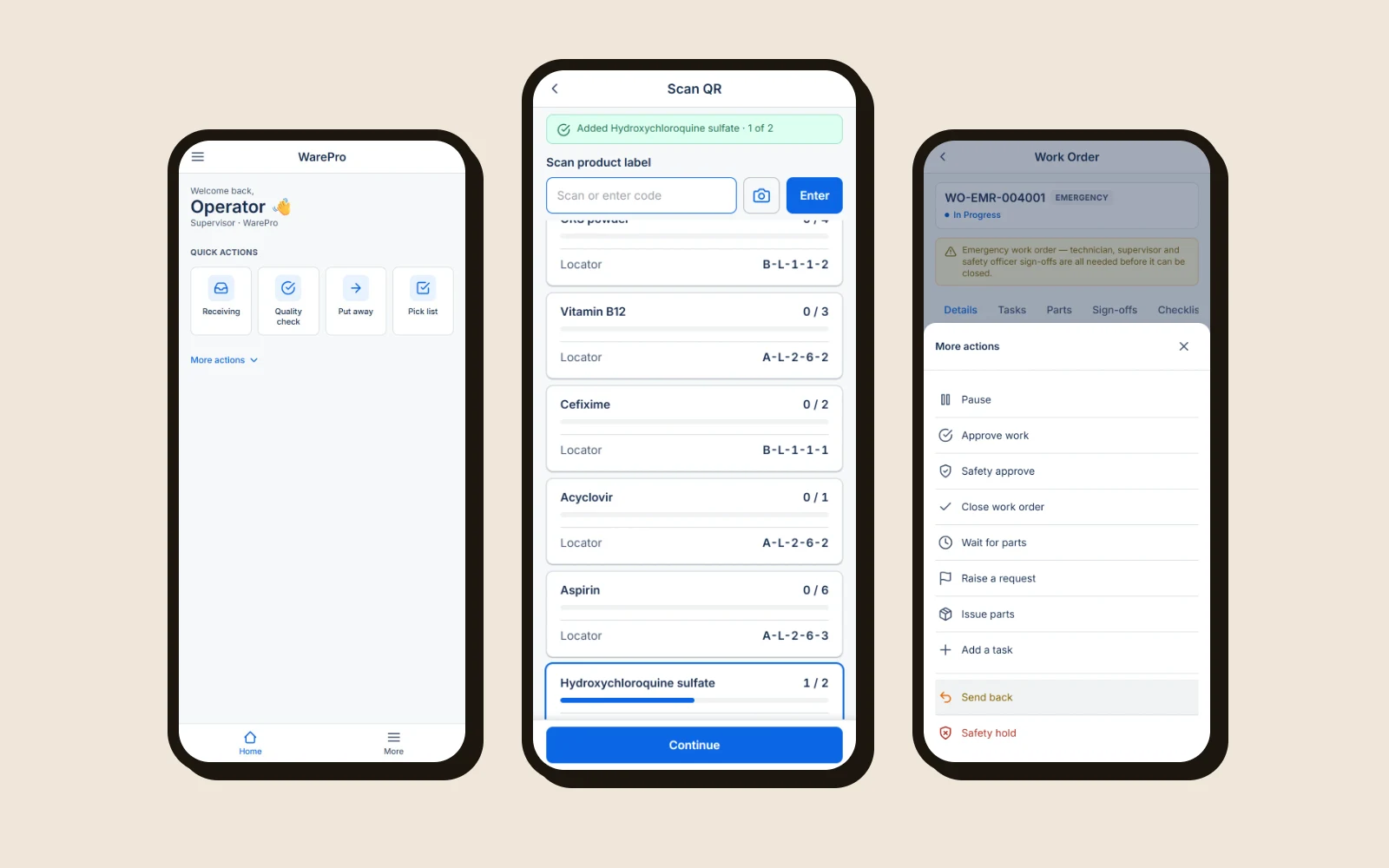
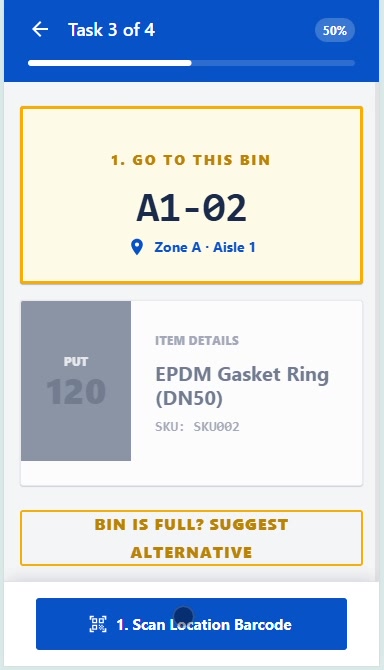
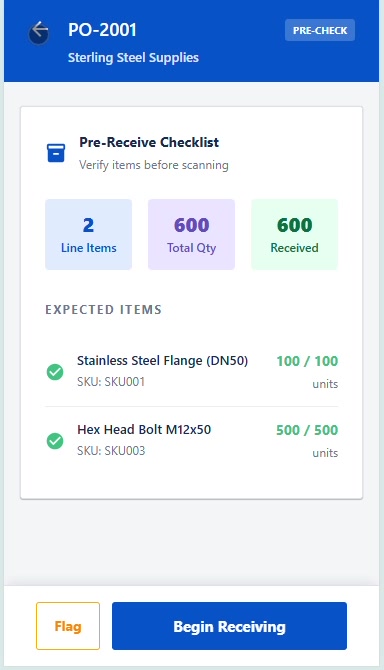
The desktop instinct is to present data and let the user decide what to do with it. On a warehouse floor that's backwards — the operator already knows which job they're on; what they need is the next physical action. So every flow now leads with the instruction and puts the data underneath: “Task 3 of 4,” then “1. GO TO THIS BIN — A1-02,” then the item. The screen tells you where to walk before it tells you what you're carrying.
Process
Understanding, then components, then screens
I worked it in that order in Figma — an Understanding page mapping how each job actually runs, then a component and variables library (cards, tabs, buttons, status bar, the WarePro colour ramp), and only then the screens. Building the pieces first is what let nine modules end up speaking the same language instead of nine separate visual dialects.
The receiving and manufacturing list screens each went through a dozen-plus iterations before they settled. I annotated the reasoning directly on the canvas as I went, so the decisions were arguable with the product team rather than just asserted.
“Segmented tabs on top give easy navigation — most users have used that kind of interaction before, so it won't confuse them while using it.”
Design principles
Three rules for a device held in one hand
Emphasise what matters first
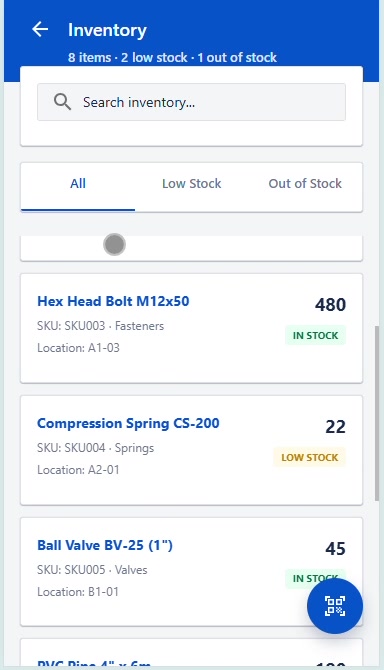
Every card leads with the information the operator actually scans for — the order, the quantity, the status — and demotes internal codes. Readability by hierarchy, not by making everything bigger.
Use patterns they already know
Segmented tabs on top, search where search always is, a familiar card list. Novelty costs nothing to design and a great deal to learn on a shift.
Say the next action
Instructions are numbered steps — “1. Scan Location Barcode.” The operator should never infer what the app expects from them next.
The system
Why Atlassian, again
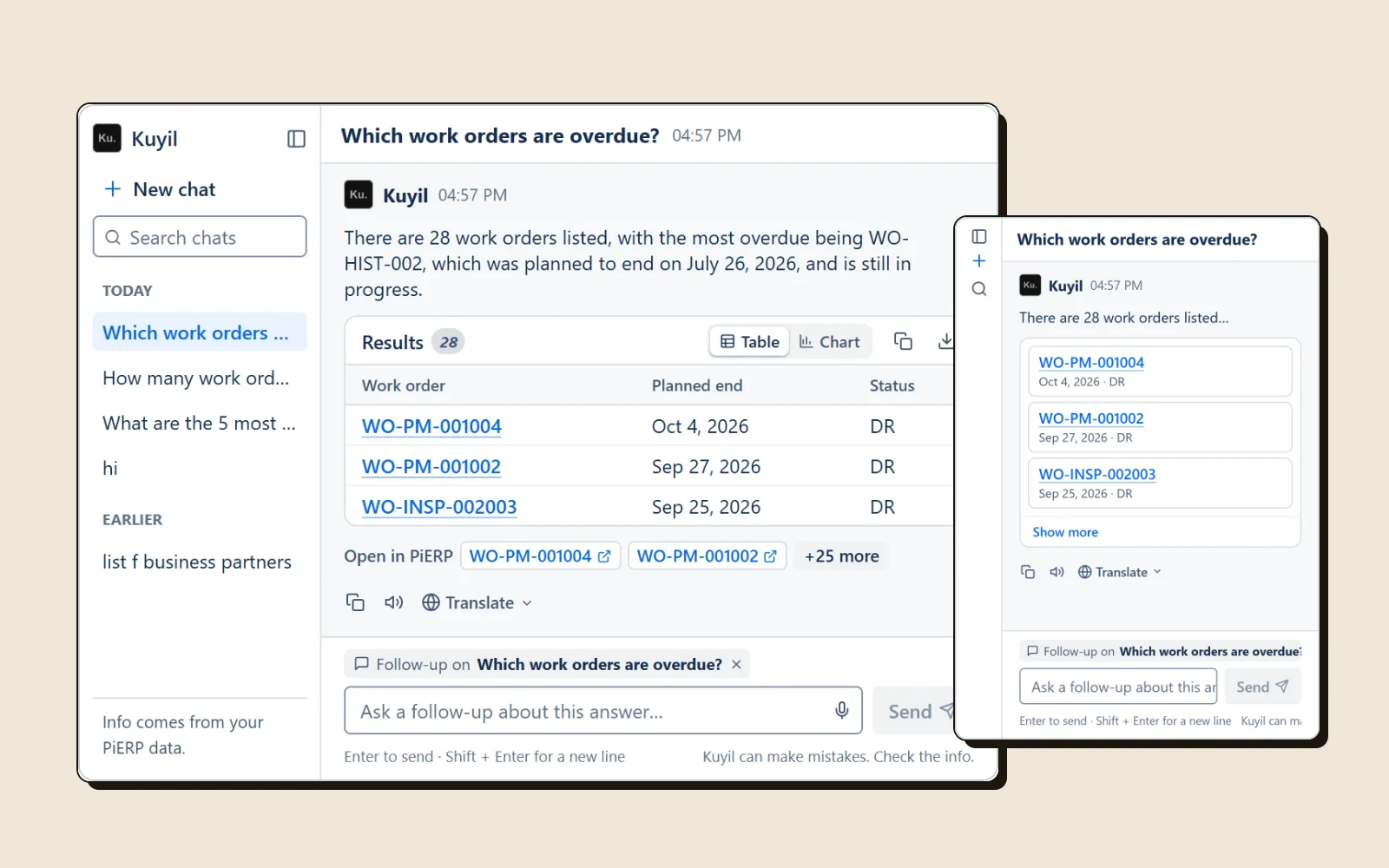
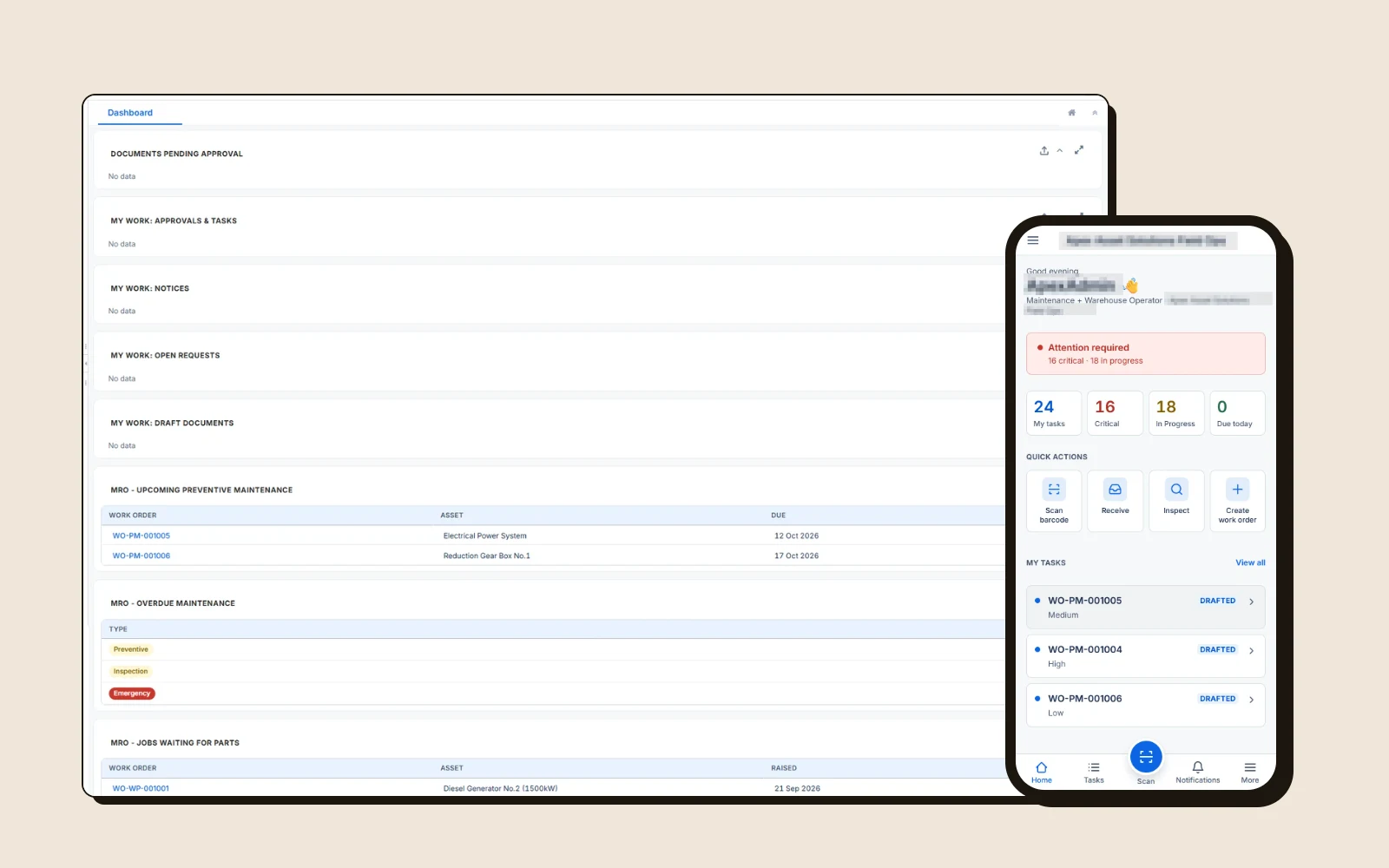
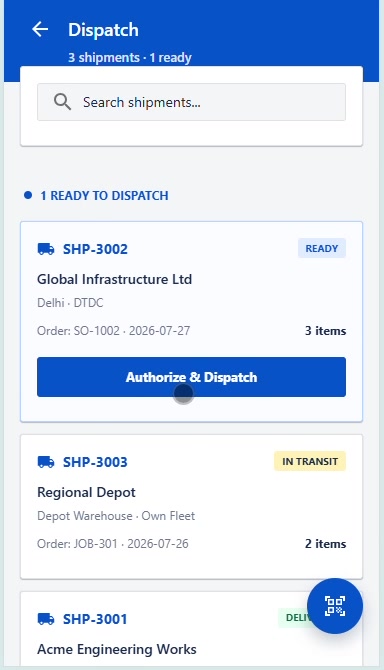
I'd already put PI-ERP on the Atlassian Design System for its density under enterprise data, and the reasoning applies harder here. Warehouse screens are lists of states — orders, batches, shipments, bins — and Atlassian's lozenge and card patterns are built for exactly that, without the generous consumer spacing that would cost visible rows on a small screen. Sharing it across both products also means a PIPRA operator moving between desktop and handheld isn't learning two visual languages.
Key decisions
The calls that protect the count
Collapse the launcher into flows
WhyFive near-identical tiles is a choice the operator shouldn't have to make. Reorganising around the actual chain of work — receive, put away, check, pack, dispatch — means the app reflects the shift rather than the org chart of how it was built.
Label every number, kill the bare IDs
Why“80078 · 1000134 · 1000001” is only readable to someone who already memorised the schema. Every value now carries its field, because the person reading it is holding a box and hasn't got working memory to spare.
Move filters from the bottom bar to segmented tabs on top
WhyFilters belong next to what they filter. Putting them directly above the list — a pattern operators have met in every other app they use — removes the gap between choosing a state and seeing it applied.
Disable submit until the work is real
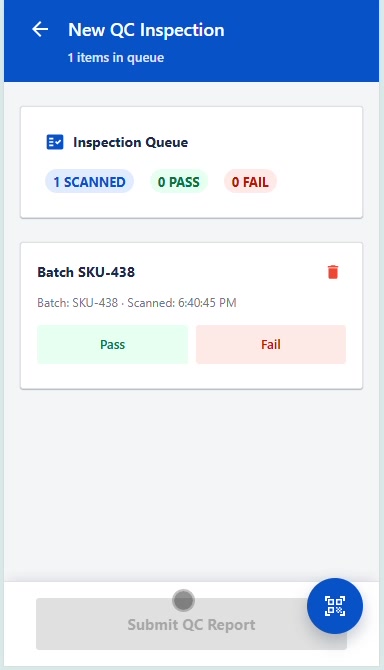
WhySubmit QC Report, Execute Transfer and Process Return all start disabled and enable only once items are genuinely scanned in. Preventing an empty submission is far cheaper than reconciling a phantom one against physical stock later.
Offer the alternative at the point of failure
Why“Bin is full? Suggest alternative” sits right on the putaway screen. The moment someone hits a physical blocker is exactly when they improvise and put stock somewhere the system doesn't know about — so the recovery path has to be in reach before that happens.
A persistent scan trigger in a fixed position
WhyScanning is the most repeated action across all nine modules, so it gets the same floating control in the same place everywhere. Positional consistency matters more than elegance when someone performs an action hundreds of times a shift.
Scope
Result
What I took from it
Consistency is a safety feature here
On a marketing site, an inconsistent component is an aesthetic problem. In a warehouse app it's a mis-scan — and a mis-scan is stock that exists in the system but not on the shelf. Giving nine modules one status grammar, one scan position and one instruction format wasn't tidiness. It was the cheapest available way to reduce the number of decisions someone has to make while holding a heavy box.
More case studies