PiGo Mobile Platform / Product design case study
PiGo: one app for every role on the floor.
PiGo is PIPRA's mobile app for warehouse and maintenance teams. I studied the work on a customer's warehouse floor, proposed PiGo, designed it and built its front end: one role-based app in place of WarePro's launcher of separate apps, where every scan and action says what happened and what to do next.
- Role
- Product design · React / TypeScript front end
- Team & time
- Only designer, with engineering · about a month (Oct 2026)
- Apps
- WarePro · Maintenance · Quality Inspector
- Status
- In customer use
RelatedThe earlier WarePro Mobile redesign PI-ERP in 2026: role-based UX at scale
- The problem
- Warehouse work ran through a launcher of near-identical apps, maintenance roles needed field apps of their own, and failed actions didn't say what went wrong.
- What I did
- Studied the work on a customer's warehouse floor, proposed PiGo, one configurable app for every warehouse and maintenance role, designed it, and built its React front end.
- The result
- In customer use. At a customer site running WarePro on PiGo, inventory accuracy rose from 70% to 95% (reported by PIPRA).
Fewer stock mistakes where it’s used.
PIPRA’s reported result for a customer warehouse running WarePro on PiGo. The gain belongs to the whole product and team; the design’s part was catching mistakes at the shelf, scan by scan.
- Inventory accuracy at a customer site, with WarePro on PiGo
- 70% → 95%
- WarePro, Maintenance and Quality Inspector in one role-based app
- 3 in 1
- Screens reviewed in one field-test round across three apps
- 87
Inventory accuracy as published by PIPRA Solutions. The customer is not named.
01 / Starting point
Separate apps for every job.
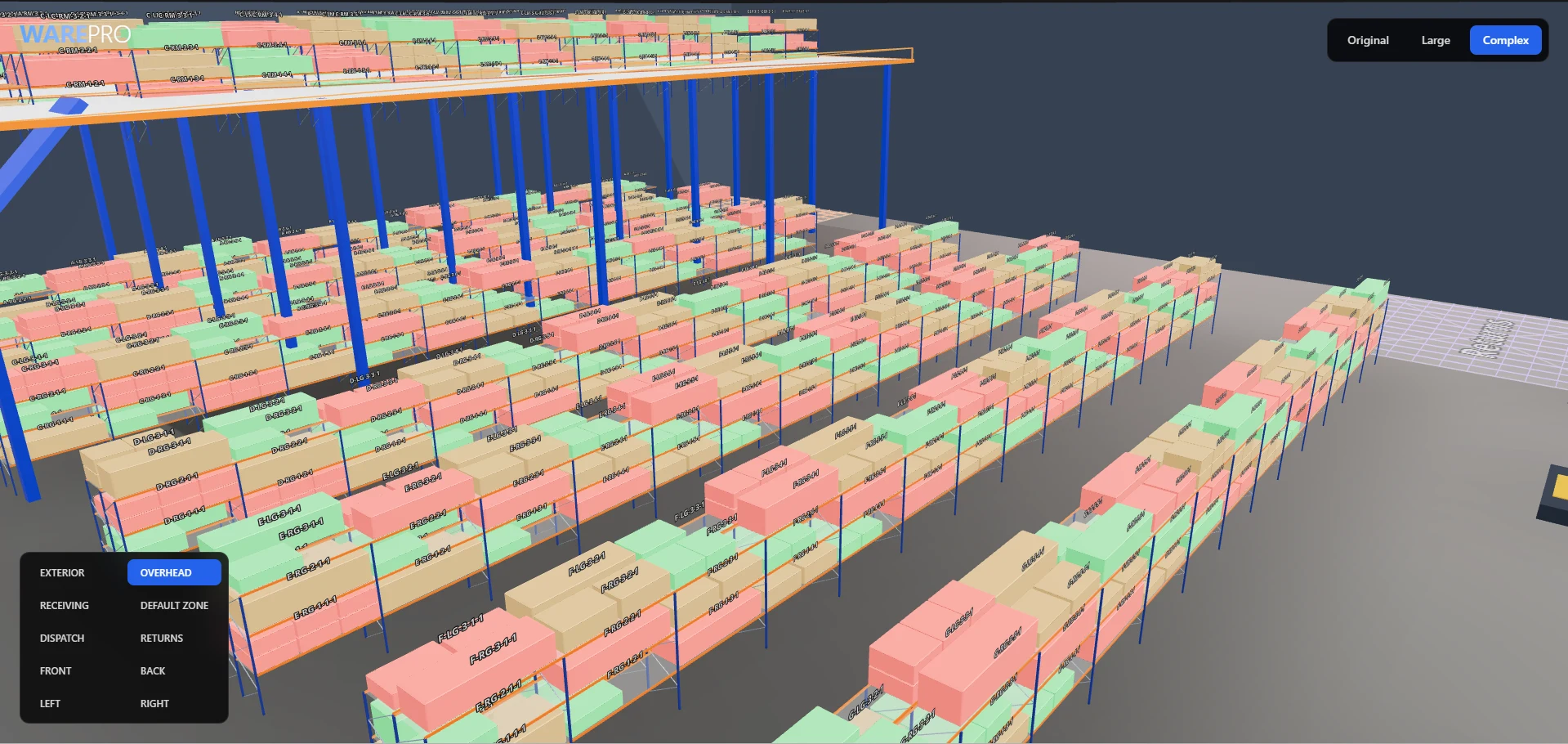
WarePro's handheld app opened on a launcher of near-identical mini-apps. PiGo replaces it with one mobile app for warehouse and maintenance teams: sign in once, choose a role, and see only the apps that role uses.
02 / On the floor
Every step, with the people who do it.
In October 2026 I visited a customer's warehouse with the PIPRA team and the CEO. I interviewed the people who run it and worked through their daily tasks with them, from receiving to put-away, picking and dispatch: how stock is arranged on the racks, how an order is picked, and how it's checked and packed. The aim was an app the floor team could pick up quickly.
I'm in the black T-shirt. The customer's brand and its staff's faces are blurred.
- 01
On the floorEach step belongs to different people: some receive, some put away, some pick and pack. Each person needs only their own tasks, and where to do them.
In the productEach role lands on only its own apps. A labour role sees just Put away and Pick list, so there's less to learn on day one.
- 02
On the floorStock is found by its rack and shelf, so a pick is only right if it comes from the right place.
In the productThe locator is scanned as well as the product, and a wrong locator is refused with the right one named.
- 03
On the floorOrders were checked off on paper, so knowing which product left which rack, and spotting stock that went missing, depended on handwritten notes.
In the productEvery item is scanned against the order and its rack as it's picked (“1 of 2”). Extras are refused and nothing counts twice, so each pick is on record.
- 04
On the floorHands are full with a carton, a sheet or a scanner, and there's little time to read a screen.
In the productEvery scan answers with a sound, a color and one sentence that says what to do next.
03 / The bet
One app, configured for each role.
01One configurable app, not an app per job
- Evidence
- WarePro's launcher had a separate app per step (five for assembly alone, all with the same icon), and seven maintenance roles each needed a field app of their own.
- Decision
- I proposed one app where a role's settings decide its apps and tiles, and lists, actions, icons and colors are described in configuration. Warehouse roles reuse the app checkboxes they already had.
- Trade-off
- Configuration becomes part of the design, so a wrong value is a UX bug: a KPI that counted the wrong status and two tiles sharing an icon both came from configuration. I turned rules like “one icon per action” into automated tests.
- Implemented result
- One app runs WarePro, Maintenance and Quality Inspector, with a home for each of seven maintenance roles, on phone, tablet and desktop.
How a role becomes a home screen
Simplified- 01
Sign in
Tenant, role and organization, chosen once.
- 02
Role
The role's settings decide its apps and tiles.
- 03
Configuration
Lists, actions, icons and colors are described on the server.
- 04
PiGo
Draws them on phone, tablet and desktop, in the tenant's brand.
Conceptual hierarchy · broad to specific
- 01Tenant
- 02Role
- 03App
- 04Home
- 05List
- 06Record
- 07Action
A simplified view of how a screen reaches the user. The server configuration, APIs and business rules belong to engineering.
04 / The principle
Catch the mistake at the shelf, not at save.
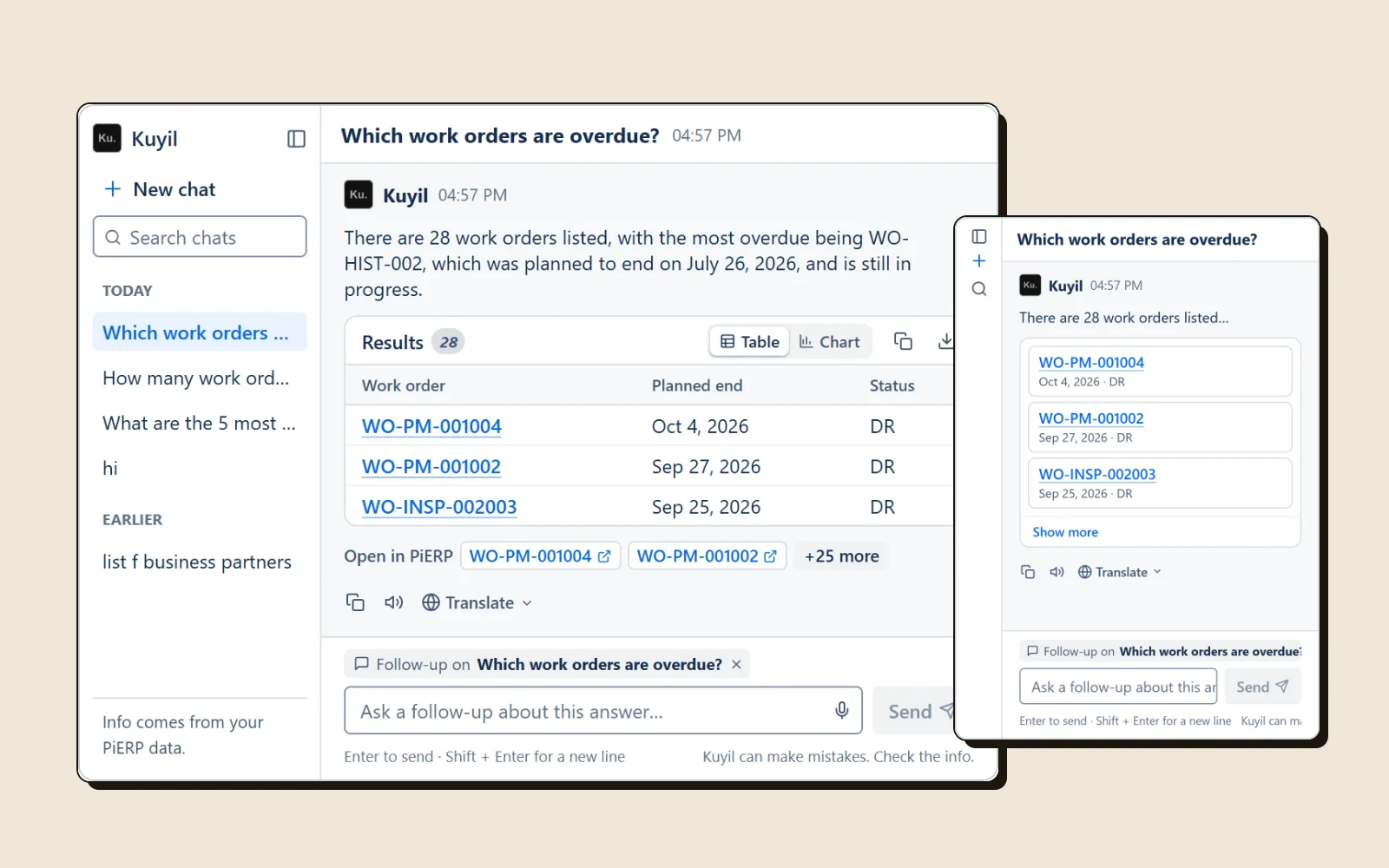
On the floor, a picker has a scanner in one hand and stock in the other. If a wrong label is only refused when they press Save, they walk back to the shelf. So in PiGo every scan answers right away, with a sound, a color and a sentence that says what to do next.
- The question I started with
- Does the flow reach the end?
- The question it became
- Does the person know what just happened, without looking twice?
05 / Picking, scan by scan
Every scan answers back.
From PiGo's order-to-dispatch walkthrough on sample data. Refusals say why and what to do, and nothing is counted twice or dropped silently.
01
Wrong label: a double low buzz and a red message. Nothing is counted.
02
Good label: a short beep, “1 of 2”, and the list scrolls to that product.
03
One too many: refused at the shelf, not at save.
04
A mis-scan comes off with one tap: Acyclovir is back to 0 of 1.
05
Back asks first, so scans are never lost silently.
06
Wrong locator: the message names the right one.
06 / Four decisions from review rounds
Make the next step obvious.
Before screens come from the first end-to-end run on live data; after screens show the same app after the fixes. Tenant names are masked.
01One clear next step
One main action; everything else is one tap away in “…”. - Evidence
- On a work order, five actions were all marked primary. Five blue buttons wrapped and pushed “…” off the screen.
- Decision
- Give each state one main action, and put the rest one tap away in a More actions sheet, with the actions available now listed first.
- Trade-off
- Less common actions are one tap further away.
- Implemented result
- “Sign off my work” is the single main button. Send back and Safety hold sit apart at the bottom of the sheet.
02One icon, one meaning
Before. After. - Evidence
- In review, the CEO pointed out repeated icons: Approve work and Safety approve were both a ticked circle, and Send back and Safety hold were both a crossed circle. A follow-up check found more.
- Decision
- Give every action that can appear together its own icon, and color by seriousness: Send back is amber because the work can be redone, Safety hold is red because it stops the work.
- Trade-off
- Icons are stored in each tenant's configuration, so the update had to leave alone any icon an admin had already changed.
- Implemented result
- A test now fails if two work order actions shown together share an icon. The audit covered 39 actions, 69 home cards and 56 navigation items, and all 128 WarePro home combinations.
03No dead ends on a field device
Before: two tiles led to “Coming soon”. After: four tiles, all working. - Evidence
- Home showed Pick and Cycle count tiles that opened a “Coming soon” page.
- Decision
- Show only tiles that have a working screen behind them, with the same rule in every app.
- Trade-off
- Features still in progress stay invisible until they are built.
- Implemented result
- Home shows four working quick actions, and WarePro's Stock check and Inventory move follow the same rule.
04Data a person can read
Before. After. - Evidence
- Dates read “2026-10-11 14:17:57.337575”, and filters were eight bare date boxes under capital-letter headings.
- Decision
- Show dates in the phone's own format, and give each date filter presets: Any time, Today, This week, This month, plus Overdue for end dates.
- Trade-off
- A custom range now takes one extra tap, because the From and To boxes appear only when asked for.
- Implemented result
- Dates read “22 Sept 2026, 2:17 pm”. Filters are 44px chips, and an active filter shows as a named chip, such as “Planned start: This week”.
07 / Every device, every brand
Phone first, not phone only.
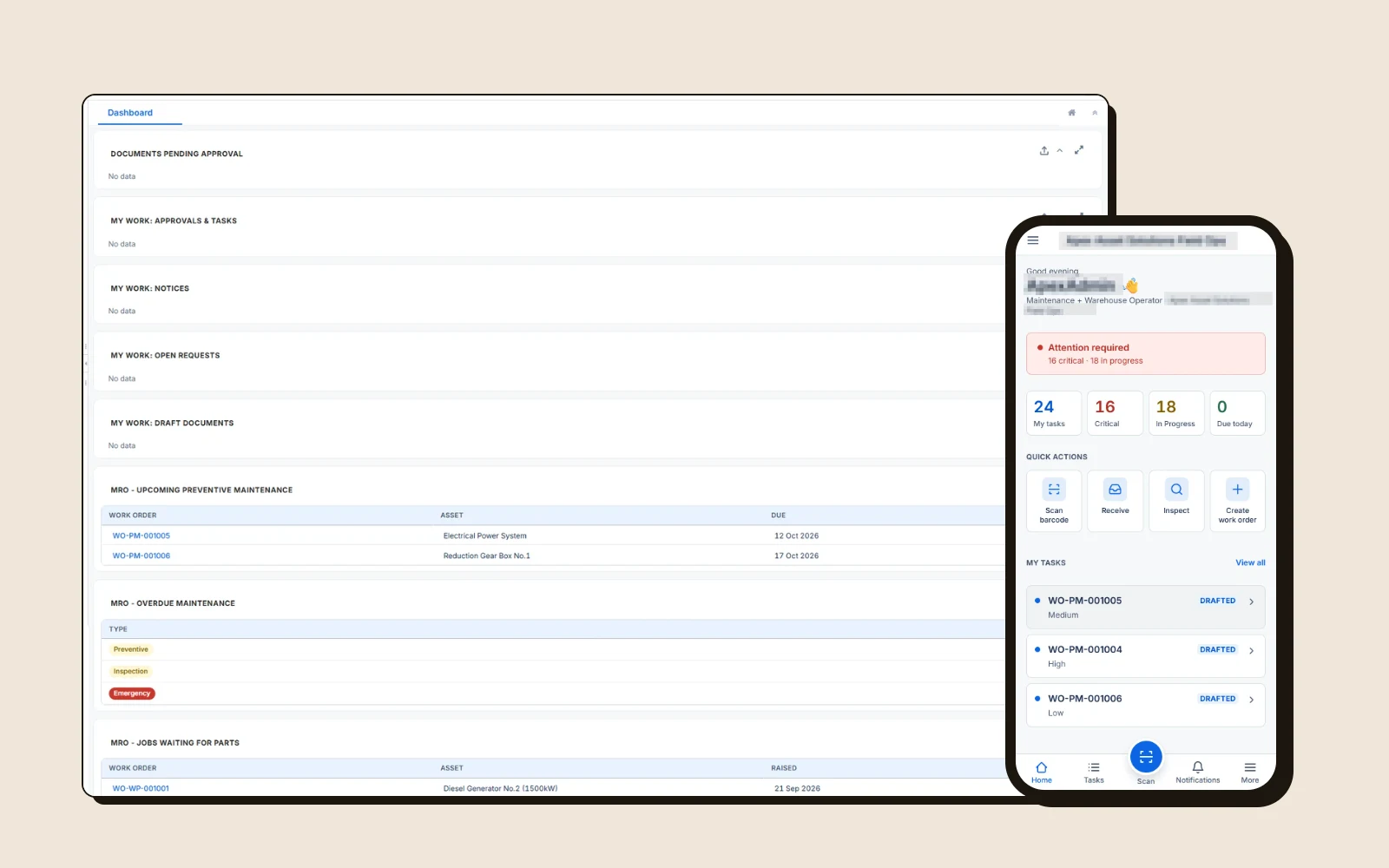
PiGo is designed at phone size first. On tablets and desktops, side navigation replaces the bottom bar and records use the extra width.
Each tenant's brand reaches PiGo from the same settings as the web app, and brand colors that would fail contrast are darkened automatically.
An accessibility pass found no automated violations on ten PiGo screens. The phone header buttons grew from 20px to 44px touch targets, and the selected filter chip went from 4.4:1 to 5.6:1 contrast.
OptionalDesktop layout
The same app in a desktop browser: navigation, task list and work order side by side. Tenant name masked.
08 / How I worked
Evidence first, every round.
I was the only designer, working with engineering over about a month, starting with the warehouse visit. Each round ended in a review page: every screen captured from the running app, before and after, so the CEO and engineers could comment next to the exact screen. One field-test review covered 87 screens across three apps.
Rules that matter in the field became automated tests, such as one icon per action and the colors of risky actions, so a later change can't quietly undo them. I used AI-assisted coding throughout and checked every change in the running app before review.
09 / Collaboration
I designed and built the front end. Engineering owned the platform behind it.
My contribution
- Field research at a customer's warehouse
- Product & interaction design
- Visual design on Atlassian Design System tokens
- React / TypeScript front end
- UI rules as automated tests
- Review rounds with before/after evidence
- AI-assisted coding
Product / leadership
- Warehouse & maintenance workflows
- Requirements & priorities
- CEO and product review
Engineering
- iDempiere backend & REST APIs
- Warehouse & maintenance business rules
- Tenant & seed data
- Deployment & infrastructure
“On PI-ERP and PiGo, Anudeep took the work from design all the way to a live product — owning design and development instead of handing over mockups and waiting. That's exactly the ownership I want to encourage.”
10 / Status
Where PiGo is today.
- PiGo
- In customer use
- Packing step and pick assignment
- Planned, not built yet
Some fixes depend on server-side changes owned by other teams, such as names for status codes that are missing from the server's list.
11 / Learning
On a warehouse floor, an app is judged in the second after a scan. Most of this work wasn't adding screens. It was making each one say what happened and what to do next.
What I'd do differently
Run the first end-to-end test on live data sooner. Sample data hid what the live run surfaced: raw codes and IDs instead of names, and actions that failed on real records.
Still open · not implemented
A packing step and pick assignment in WarePro; names instead of raw IDs on a few records; a Quality Inspector list filtered to the inspections that are due.
More case studies