Restyling an ERP that 4 years of muscle memory depended on
A complete visual rebuild of a live open-source ERP — without moving a single control, changing a flow, or touching the core code or database.
RelatedPI-ERP in 2026: role-based UX at scale
- Role
- Product designer — design-system research, UI system, full screen restyle
- Timeline
- 2025 · delivered in a sprint
- Team
- Me, with PIPRA's engineering team · brief from my manager and CEO
- Platform
- Web — enterprise ERP on iDempiere
- Status
- Shipped — in use by the team and clients
The problem
PI-ERP runs on iDempiere, whose stock interface the team and clients had used daily for four years. Leadership wanted a modern UI in a sprint — but the user flow, core code and database could not change.
The outcome
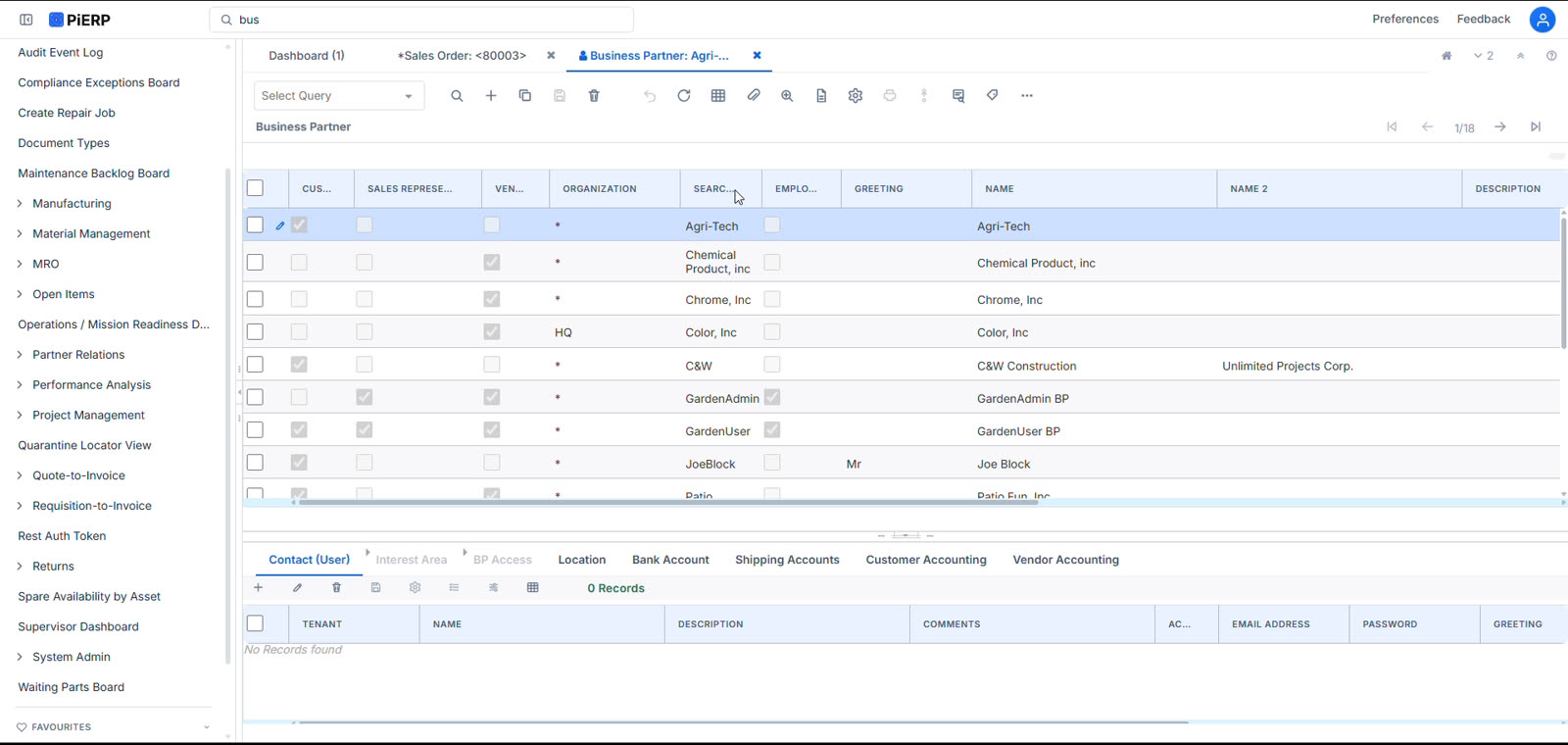
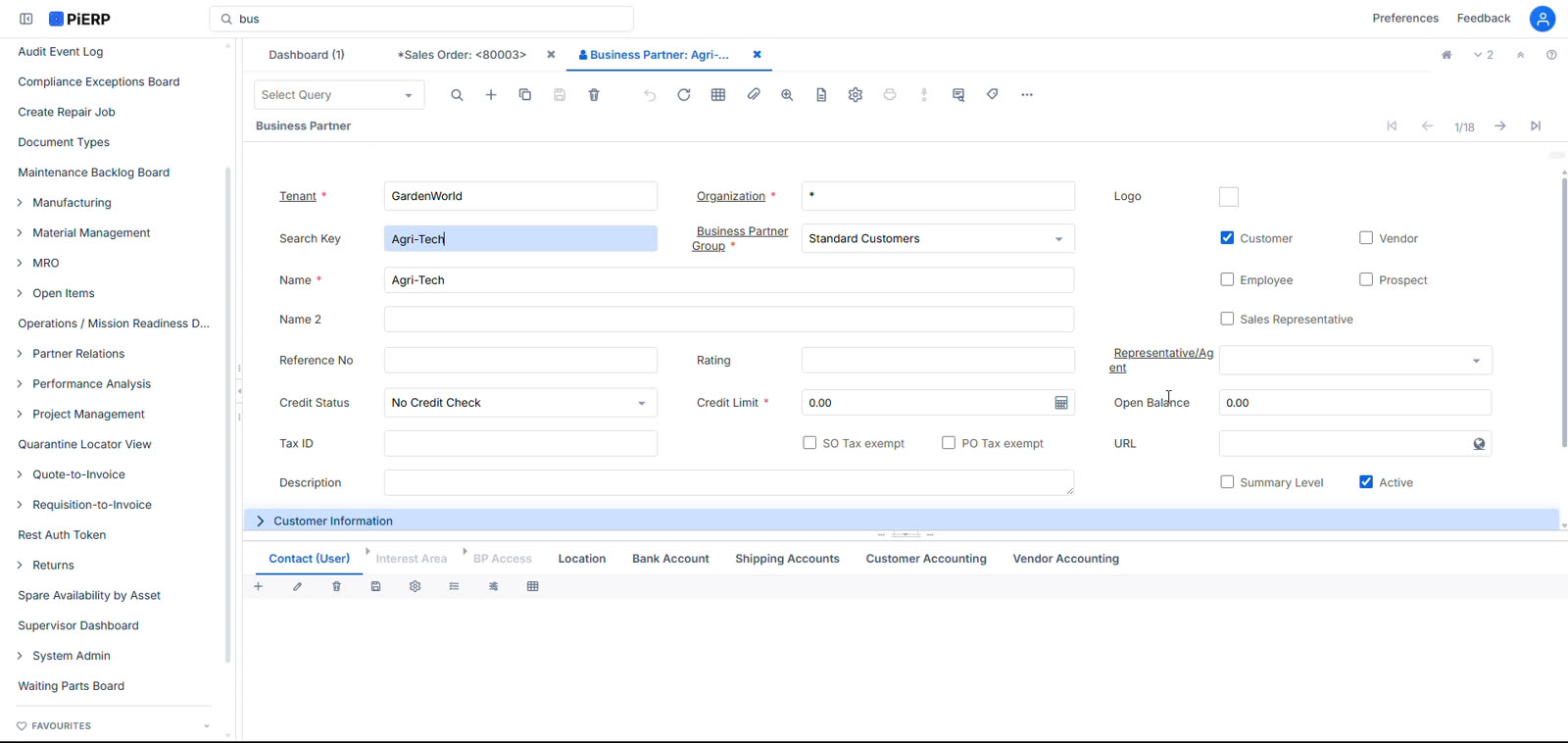
A complete visual rebuild on the Atlassian Design System, with every control left exactly where four years of muscle memory expected it — so nobody had to be retrained.
If you read nothing else
The hard part wasn't designing a new UI — it was deciding how much to leave alone. Every gadget, tab and control kept its position.
I evaluated Carbon, Material and Atlassian against a genuinely data-dense enterprise product, and chose Atlassian because it's built for exactly this density.
Constraint-driven: no changes to user flow, core code or database. The redesign had to be purely a visual layer.
The people using this ERP had used the same screens every working day for four years. Any redesign that made them stop and look for something would cost more than the redesign was worth.
The brief
Modernise it — but don't break anyone's day
PI-ERP is built on iDempiere, a mature open-source ERP. It works, it's deep, and it looks its age: dense grey chrome, tiny controls, and a visual language that hadn't moved in years. My manager and CEO wanted it modernised, in a sprint.
The constraints came with the brief and they were absolute. The user flow could not change. The core code could not change. The database could not change. Clients were live on this system, running their businesses through it, today.
The reframe
The best redesign here is the one nobody has to learn
Four years of daily use builds real motor memory — people reach for controls without reading them. A redesign that relocates things resets that to zero and taxes every user with relearning, which shows up as support load and change aversion long before it shows up as praise. So I inverted the usual goal: keep the spatial model perfectly intact, and change only the material it's made of.
Method
Choosing a design system for genuine data density
What it told me
- Material's generous spacing and motion suit consumer products, but cost too many rows on screens where density is the point.
- Carbon is genuinely strong for enterprise data, but its visual language is distinctive enough to read as IBM's rather than ours.
- Atlassian's system is built for exactly this problem — tool-like, dense, calm, and designed around tables, forms and nested navigation that people live in all day.
Design principles
The rules I gave myself before touching a screen
Nothing moves
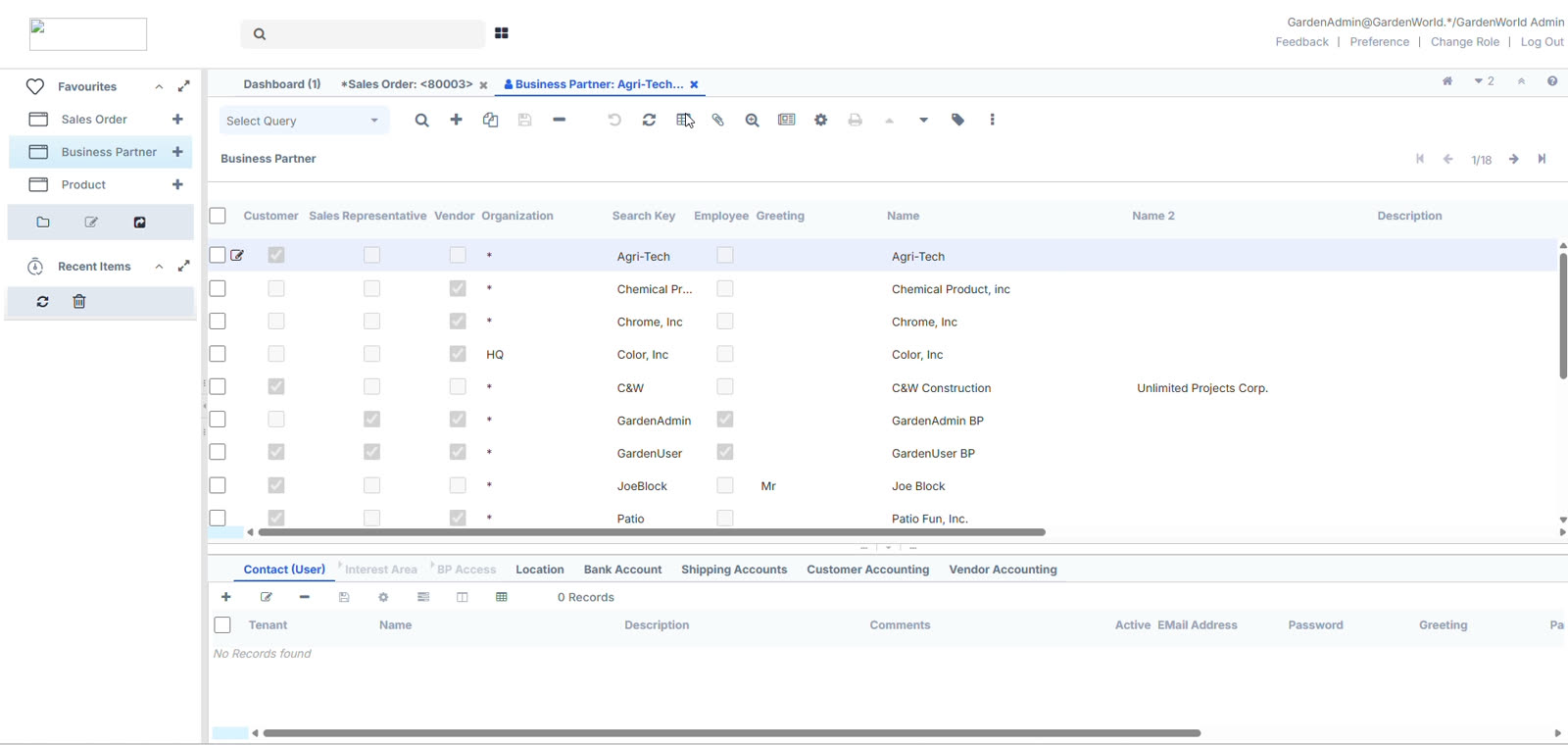
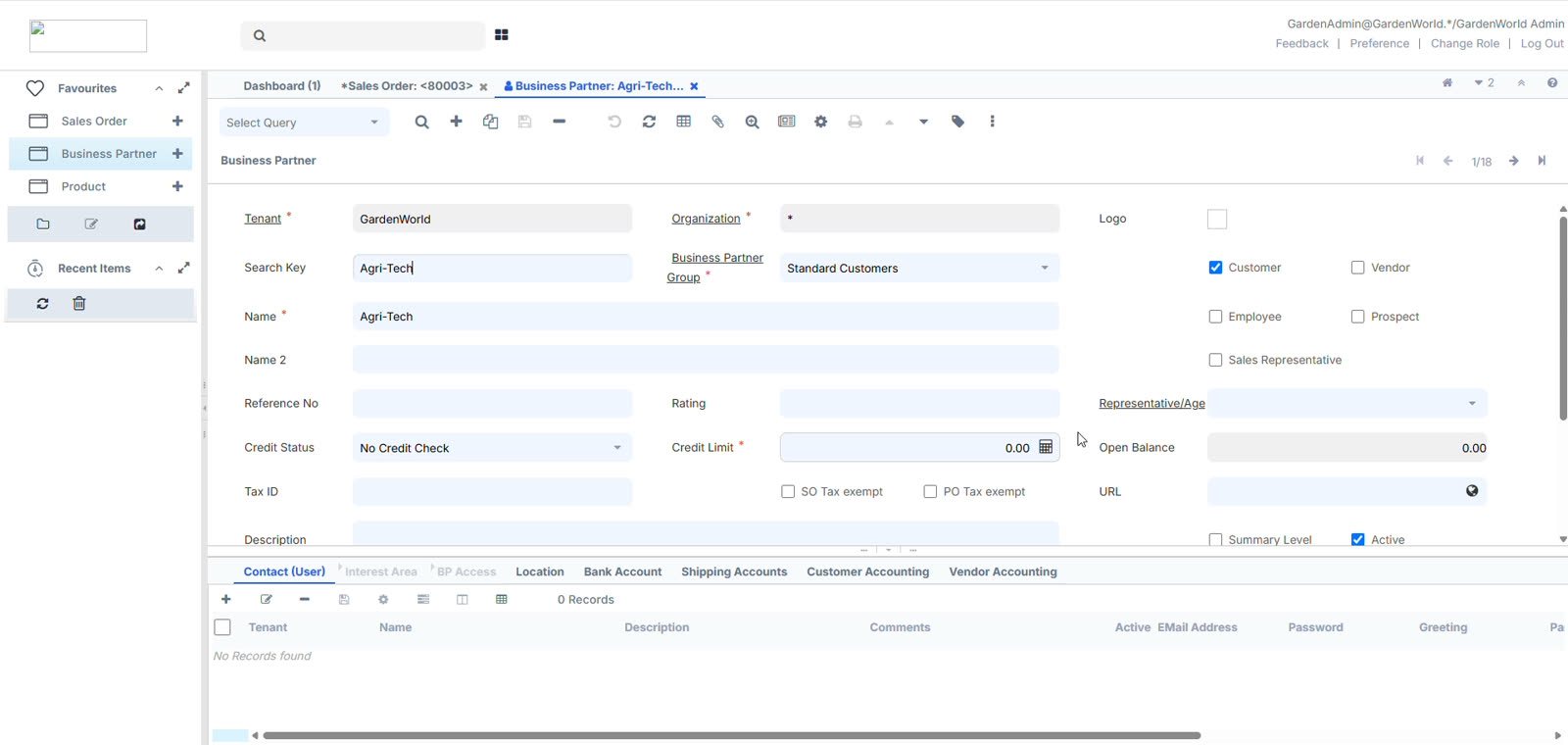
Every control keeps its position. If a user could find it with their eyes closed on Friday, they can still find it on Monday. Layout is treated as a contract, not a canvas.
Restyle, never rebuild
The change is a visual layer over untouched logic. No flow gets shortened, no step gets merged, no field gets moved — however tempting the improvement looks.
Density is a feature
This is a tool people work in for eight hours. Whitespace that costs visible rows is a downgrade, so the system had to breathe without pushing content off screen.
Before and after
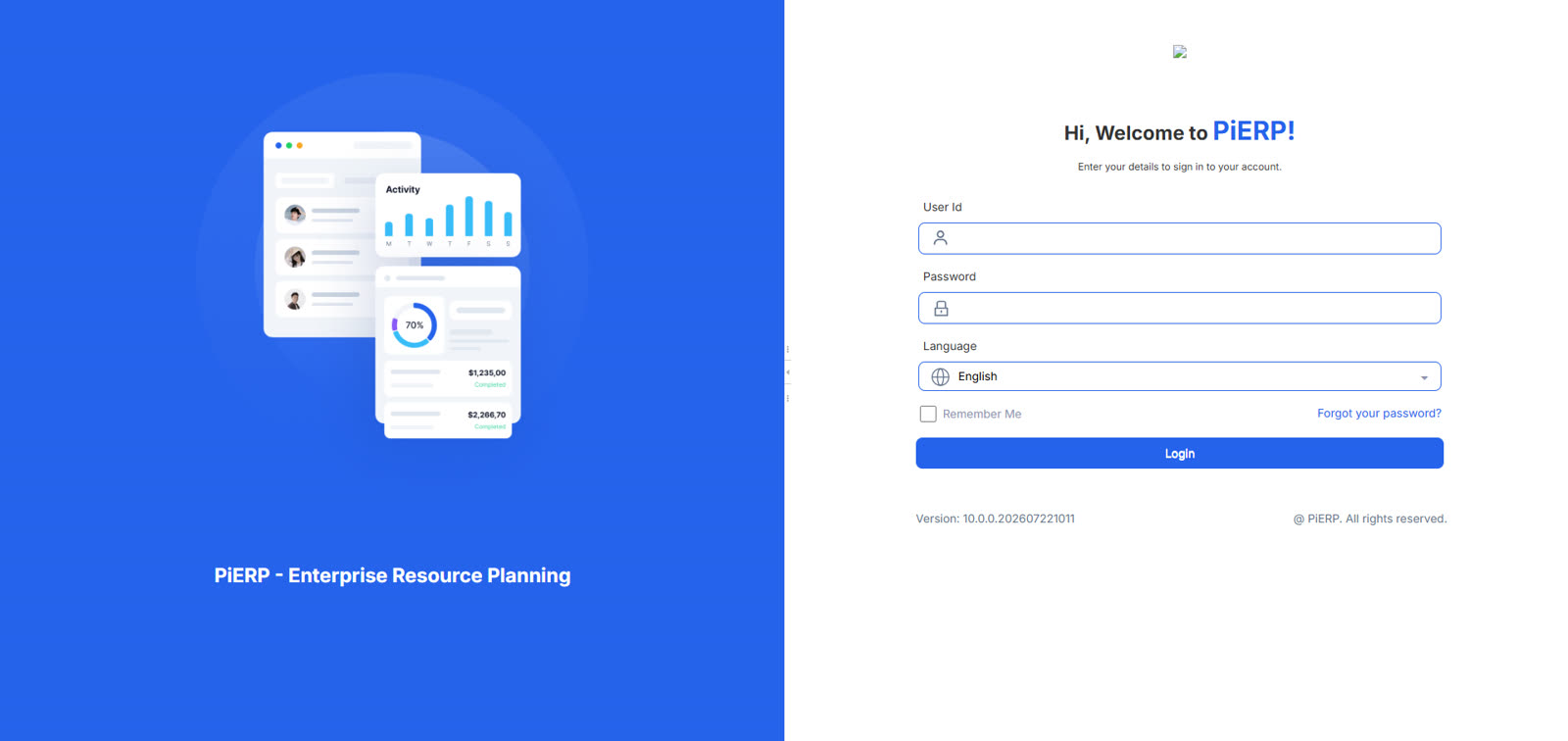
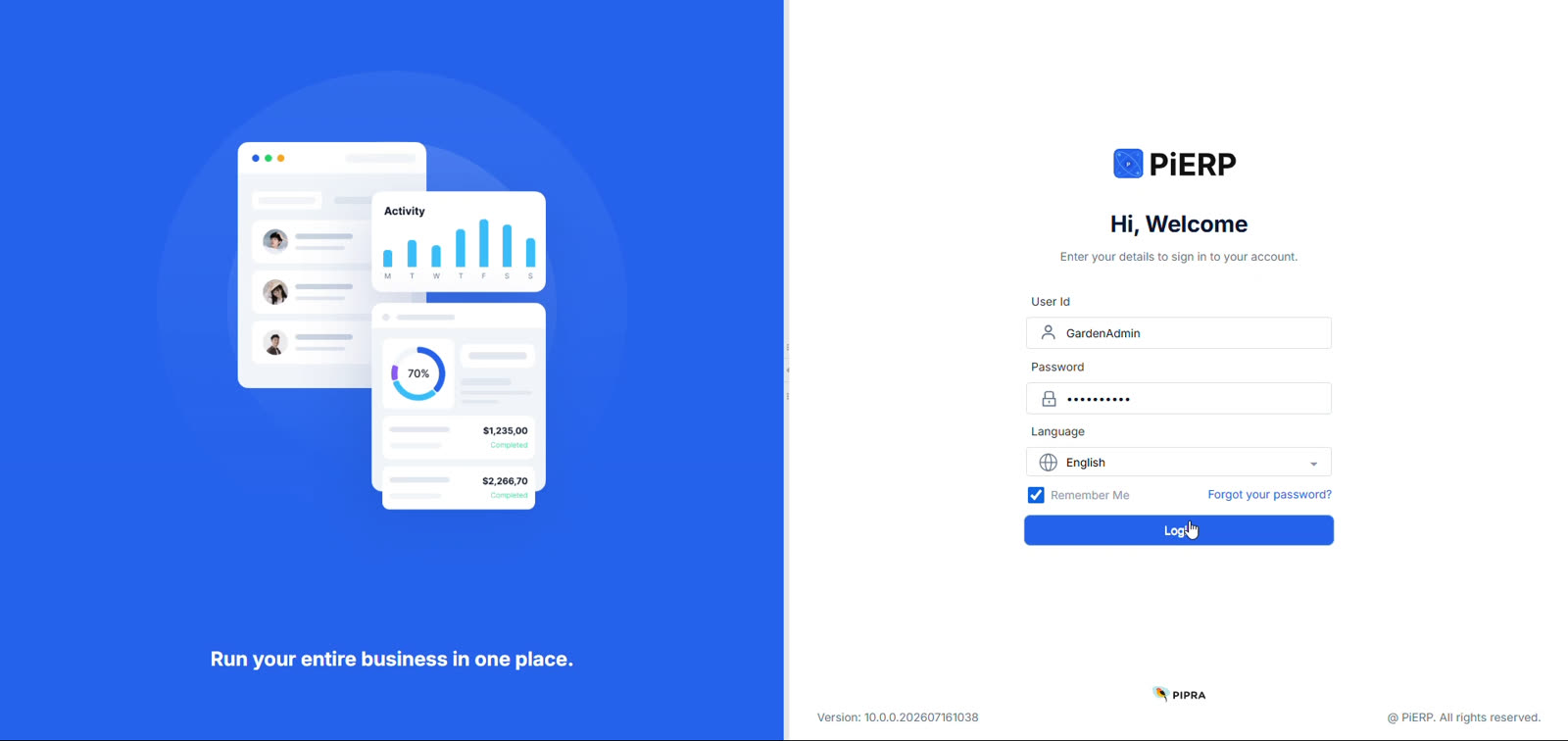
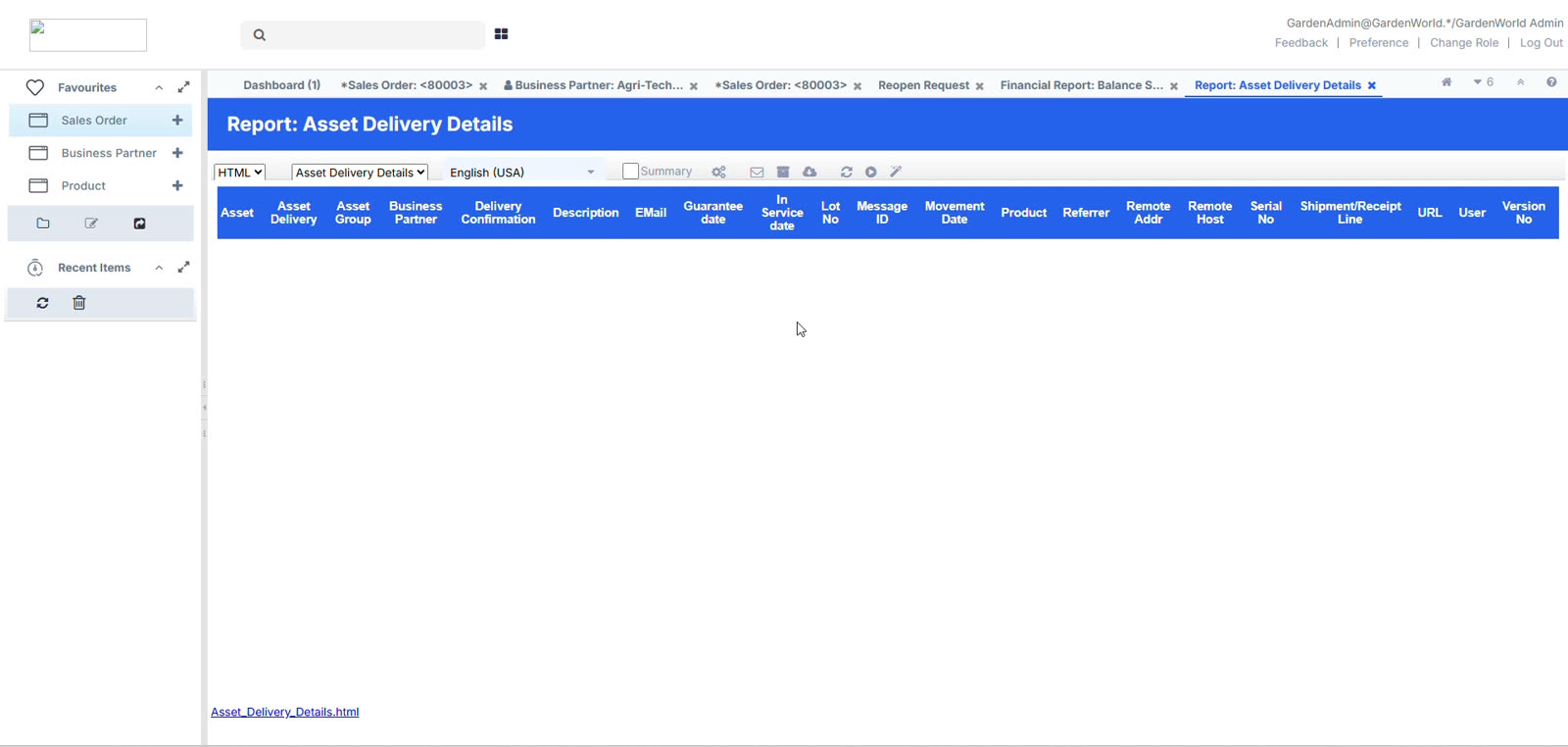
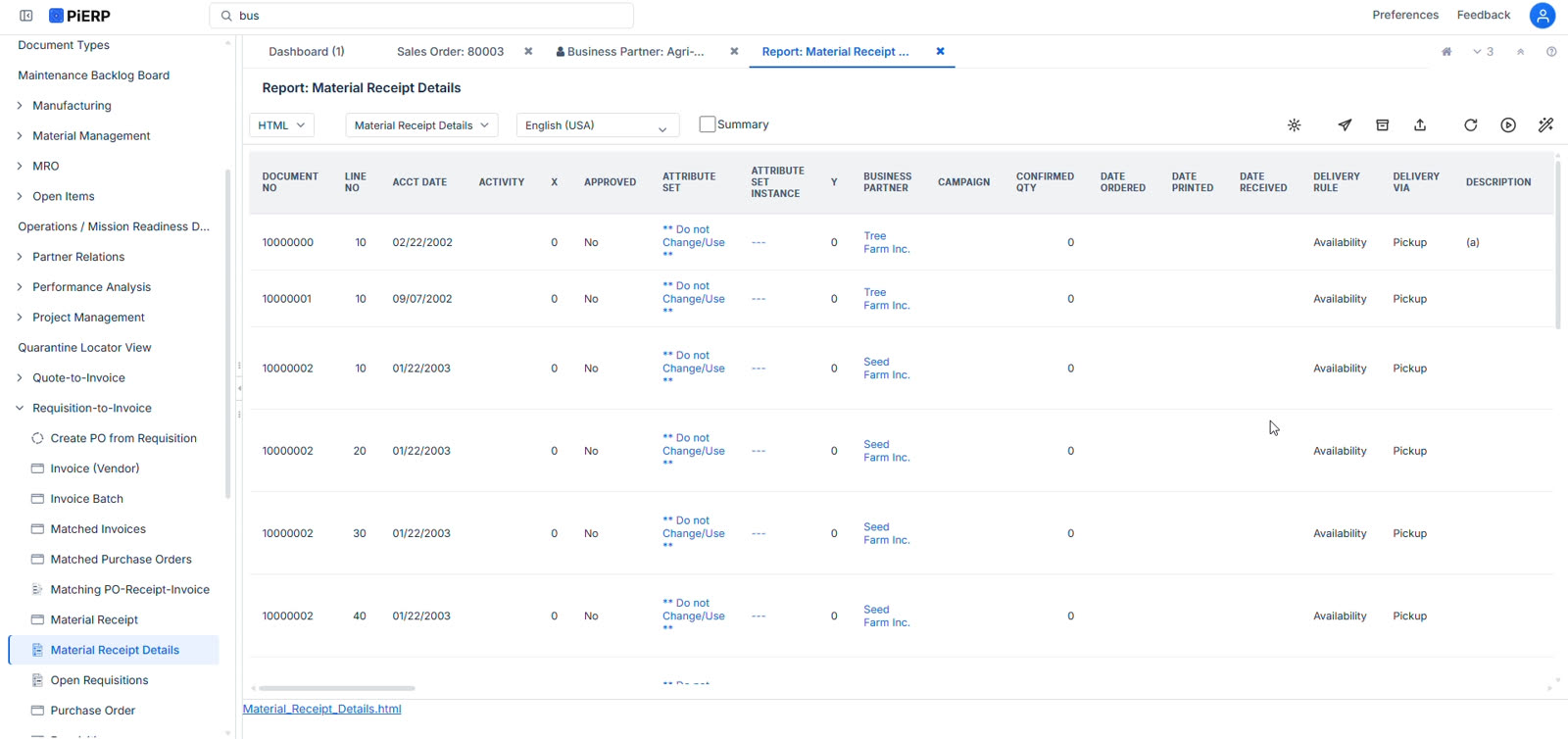
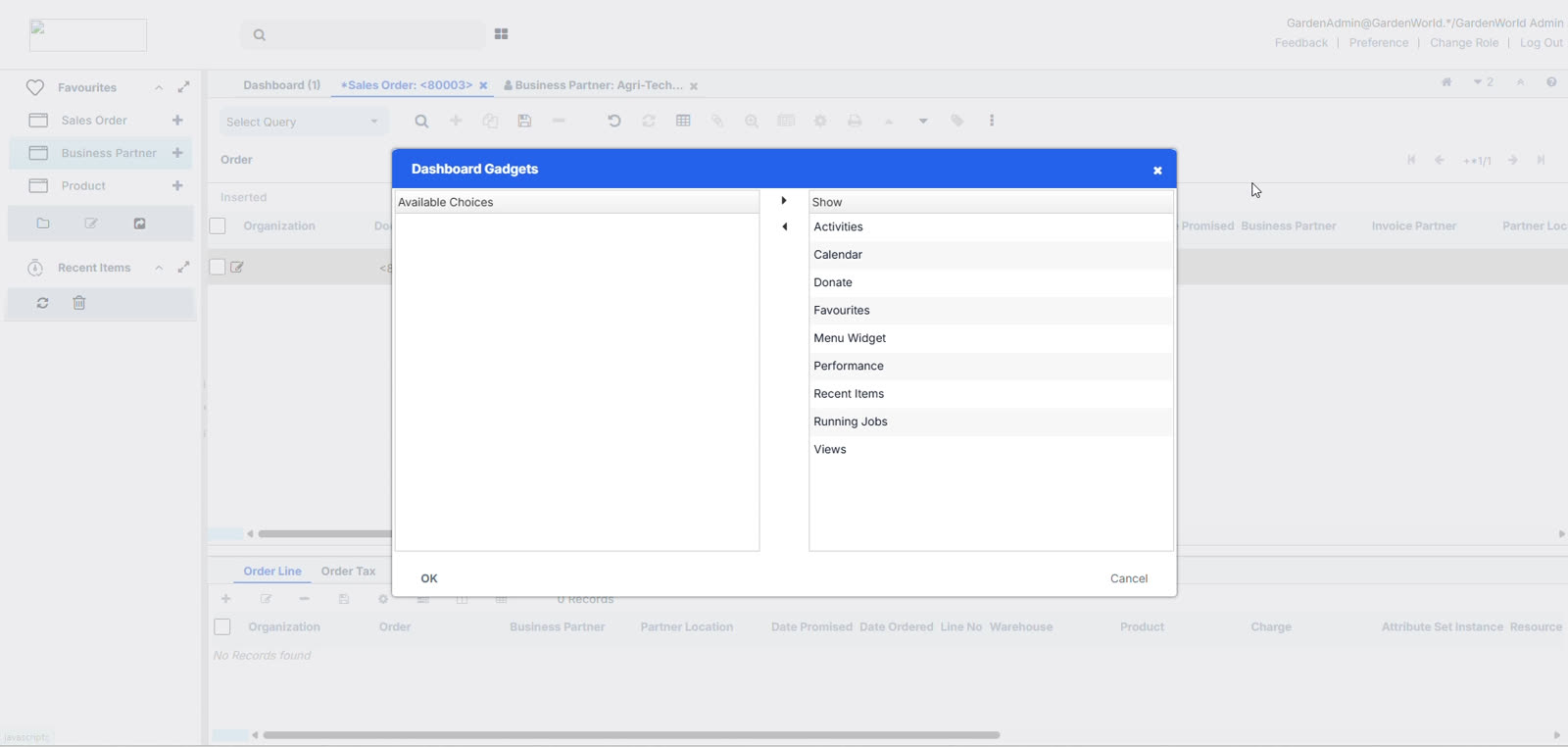
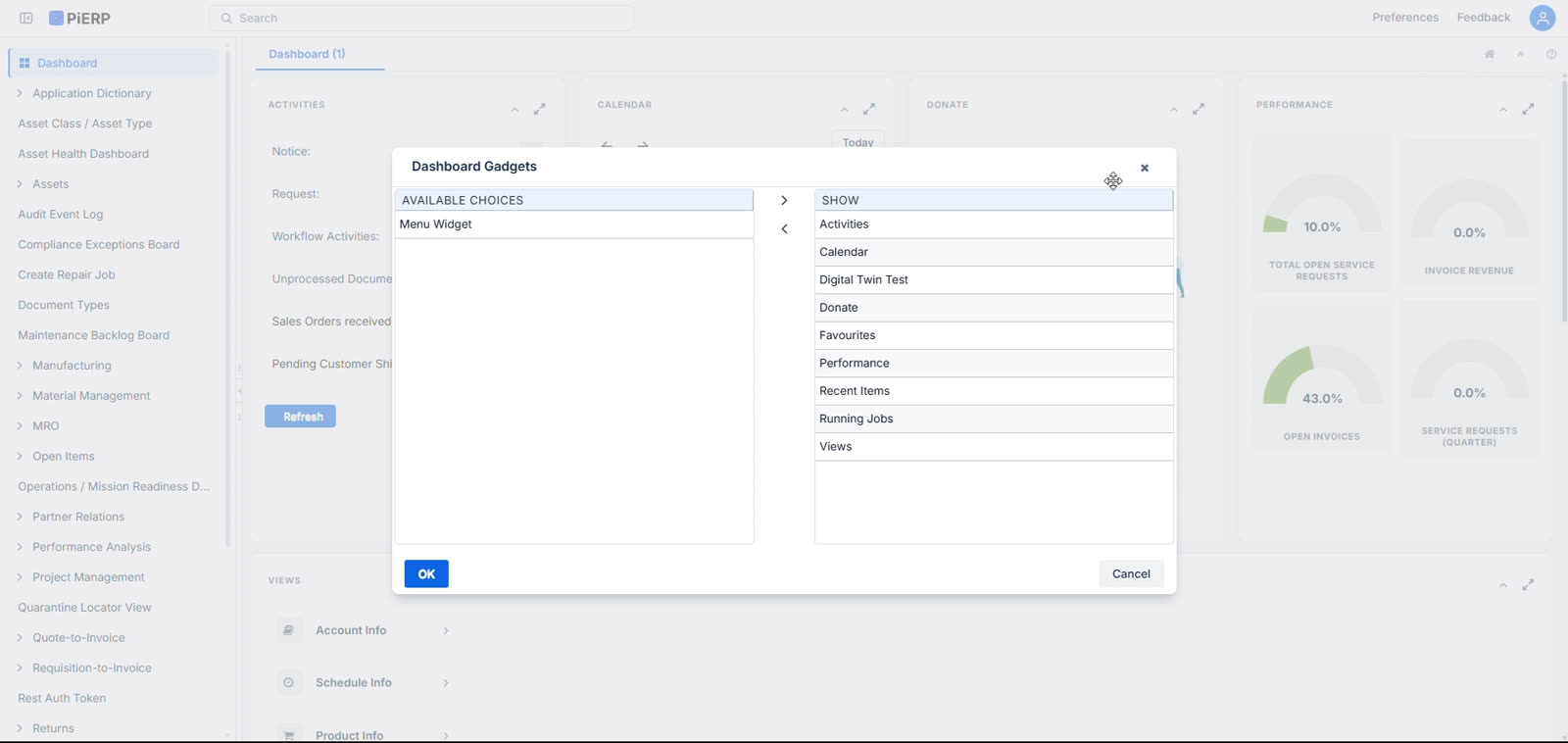
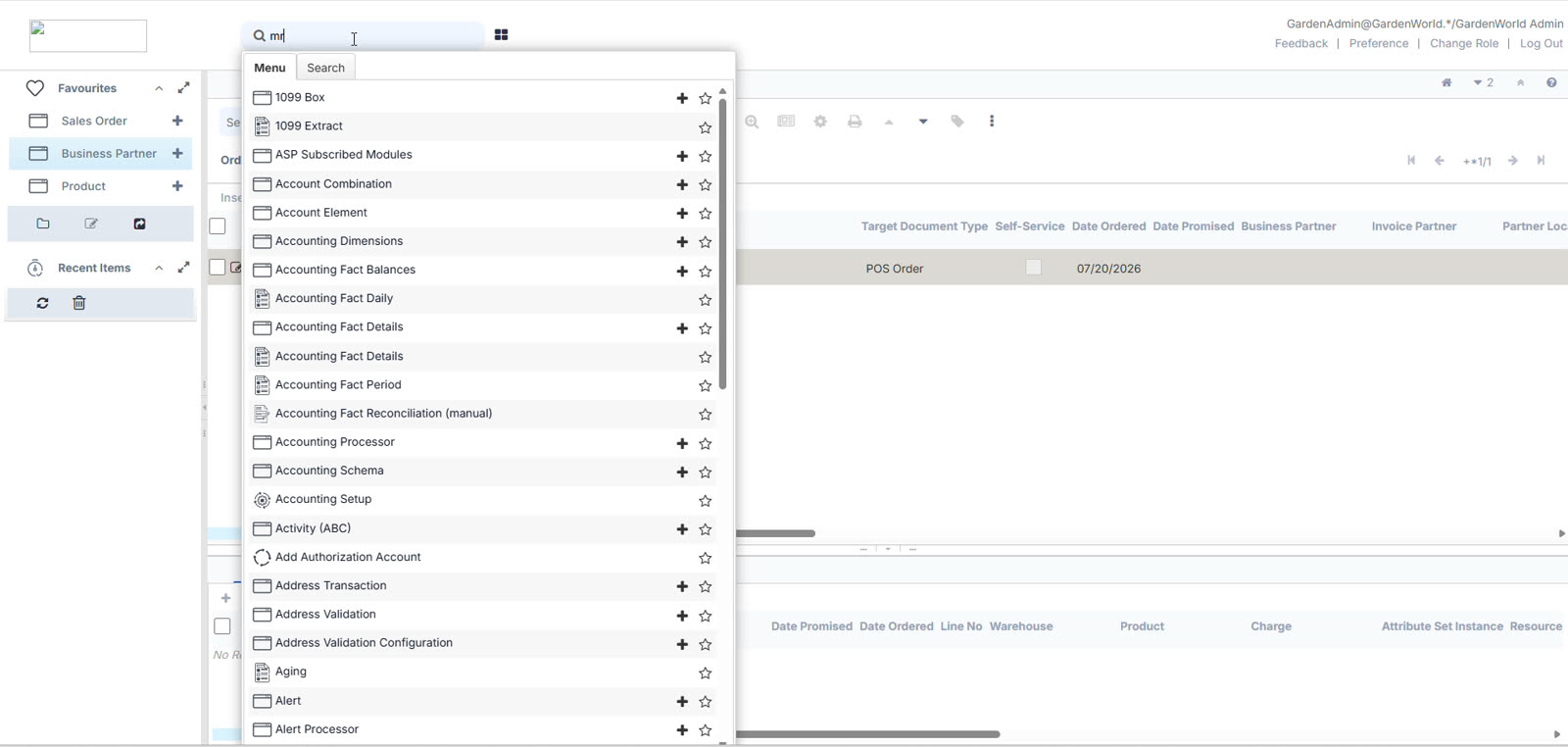
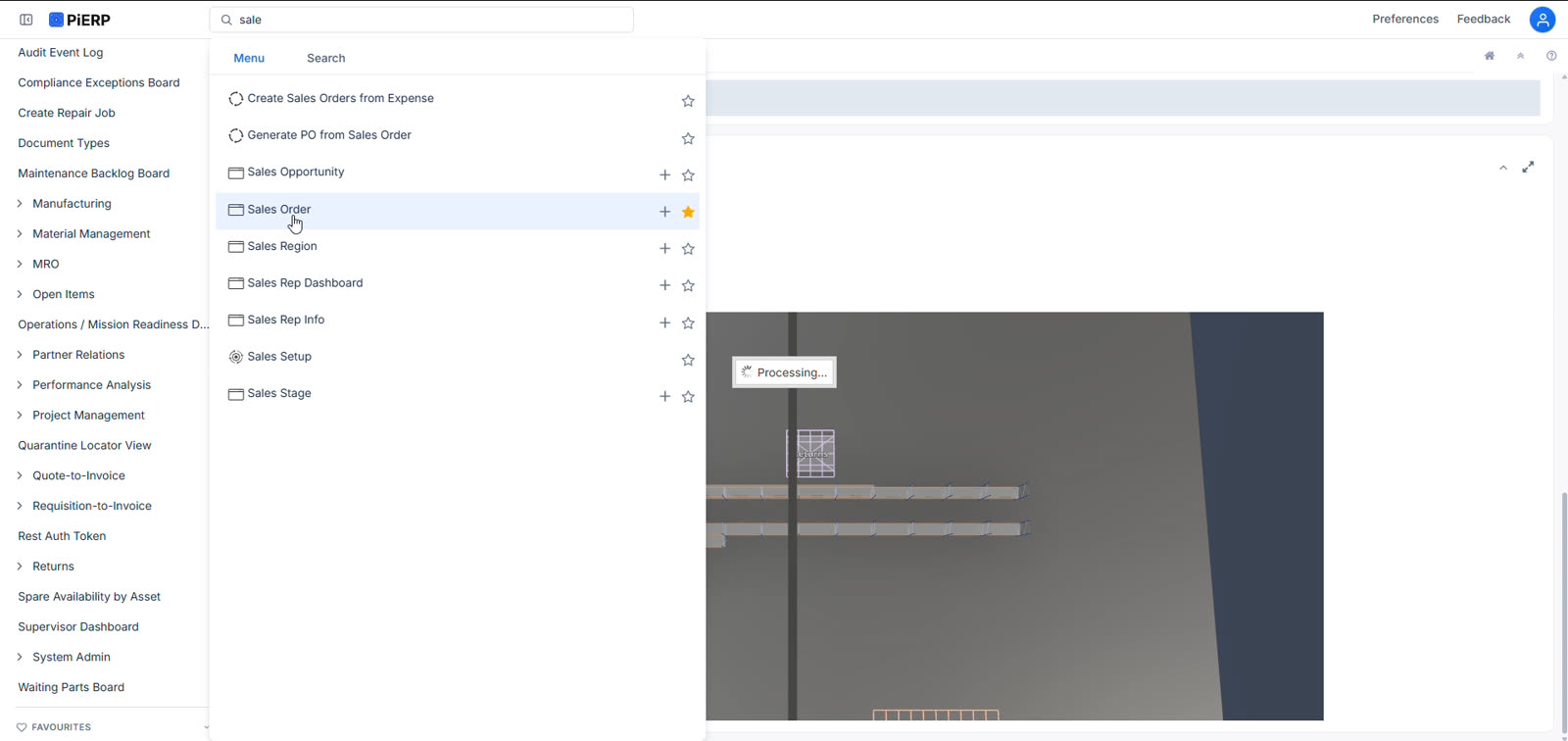
The same dashboard, rebuilt
The proof
Look at what stayed exactly where it was
Activities, Calendar, Donate and Performance sit in the same order, in the same columns, with the same collapse and expand controls in the same corners. The Views panel is still beneath them. The tab still says Dashboard (1). Every number is identical. What changed is the typography, the spacing rhythm, the control styling, the count badges, and a navigation sidebar that finally shows the module structure — MRO, Manufacturing, Material Management, Project Management — instead of hiding it behind a menu.
Key decisions
The calls that made it safe to ship
Atlassian Design System over Carbon or Material
WhyChosen for density, not taste. Atlassian is designed for tool-like products full of tables, forms and nested navigation — the exact shape of an ERP. Material would have cost rows to spacing; Carbon would have made the product read as IBM's rather than ours.
Preserve every control position
WhyJakob's Law cuts both ways: users build expectations from what they already use, and for these people that's this app, every day, for four years. Keeping the spatial model intact means recognition still does the work and nothing has to be relearned.
Ship it as a visual layer, not a rewrite
WhyThe core code and database were off-limits, and honestly that was the right call — a rewrite would have put a working, revenue-generating system at risk for a cosmetic gain. Treating the UI as a swappable layer kept the blast radius to pixels.
Surface the module hierarchy in the sidebar
WhyThe one place I did add rather than restyle. The modules always existed but lived behind a menu; exposing them as persistent navigation improves information scent without moving anything that was already on screen.
Resist the improvements I could see
WhyThere were flows I'd have shortened and fields I'd have regrouped. Every one of those was out of scope by definition — and shipping a restyle that nobody has to learn is worth more to a live client base than a better flow they'd have to be retrained on.
Where it stands
What I took from it
Restraint is a design skill
It would have been easier, and more fun, to redesign this properly — new flows, fewer steps, my own visual language. The work was in not doing that. Understanding why a constraint exists, and then designing hard inside it, produced something that shipped in a sprint and cost its users nothing to adopt. That trade is one I'd make again.
More case studies